
Clip Dr. · Linux · Windows
Find the moment.
Fix the sound.
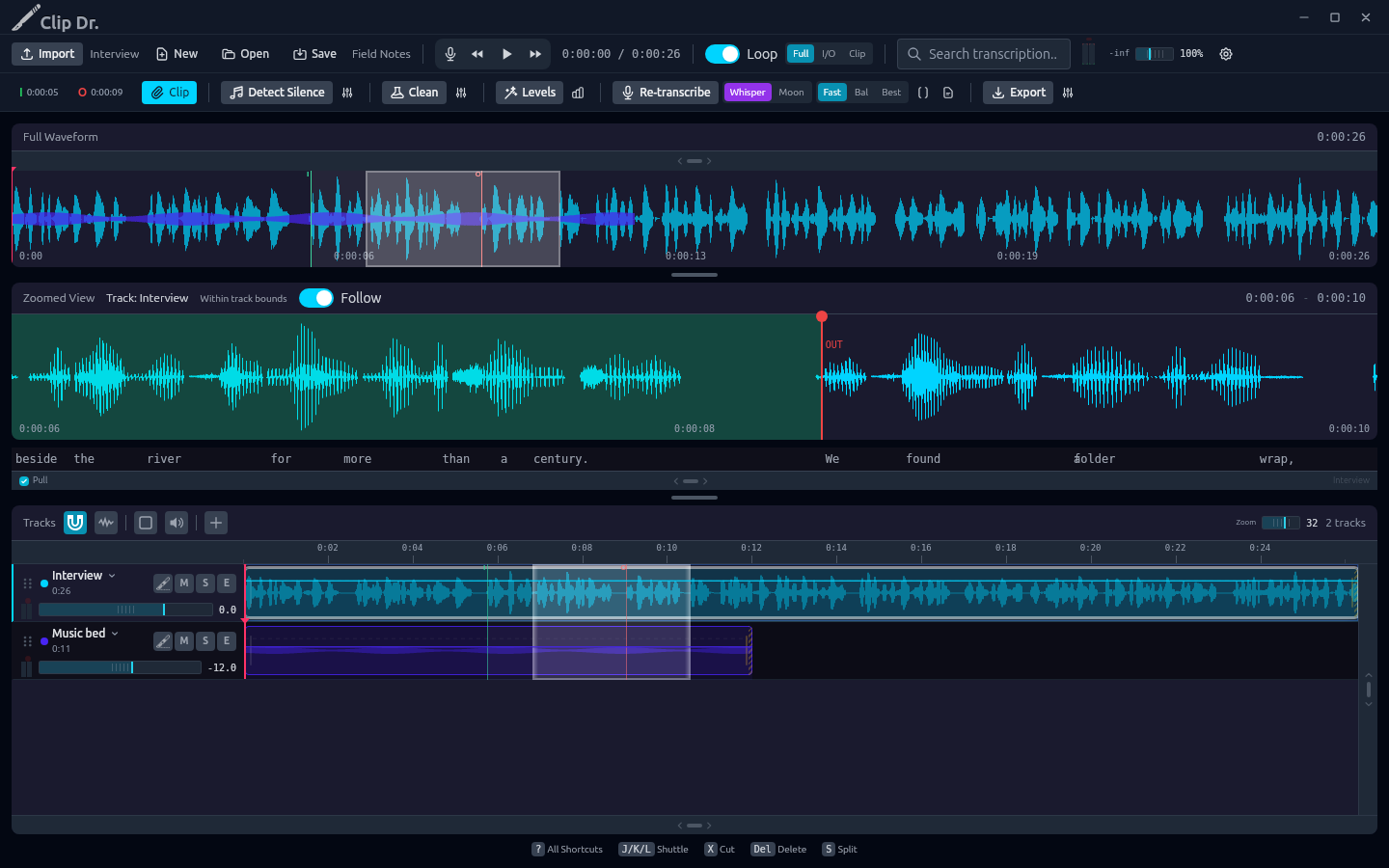
A long recording usually contains a shorter thing you need. Clip Dr. helps you find it, cut it, arrange it and make it sound better. The transcript gets you to the words. Surgery gets you into the sound.
- Local audio processing
- Word-level navigation
- Multi-track editing
- Focused audio repair
From an hour to the right thirty seconds
Navigate by what was said.
Let the local speech model transcribe the recording, then click a word to move the playhead. Search for the phrase you remember. Correct a word or realign its timing when the transcript needs help.
You still edit with your ears. The words give you a useful way into a long waveform.
The edit and the detail
Keep the whole recording in view.
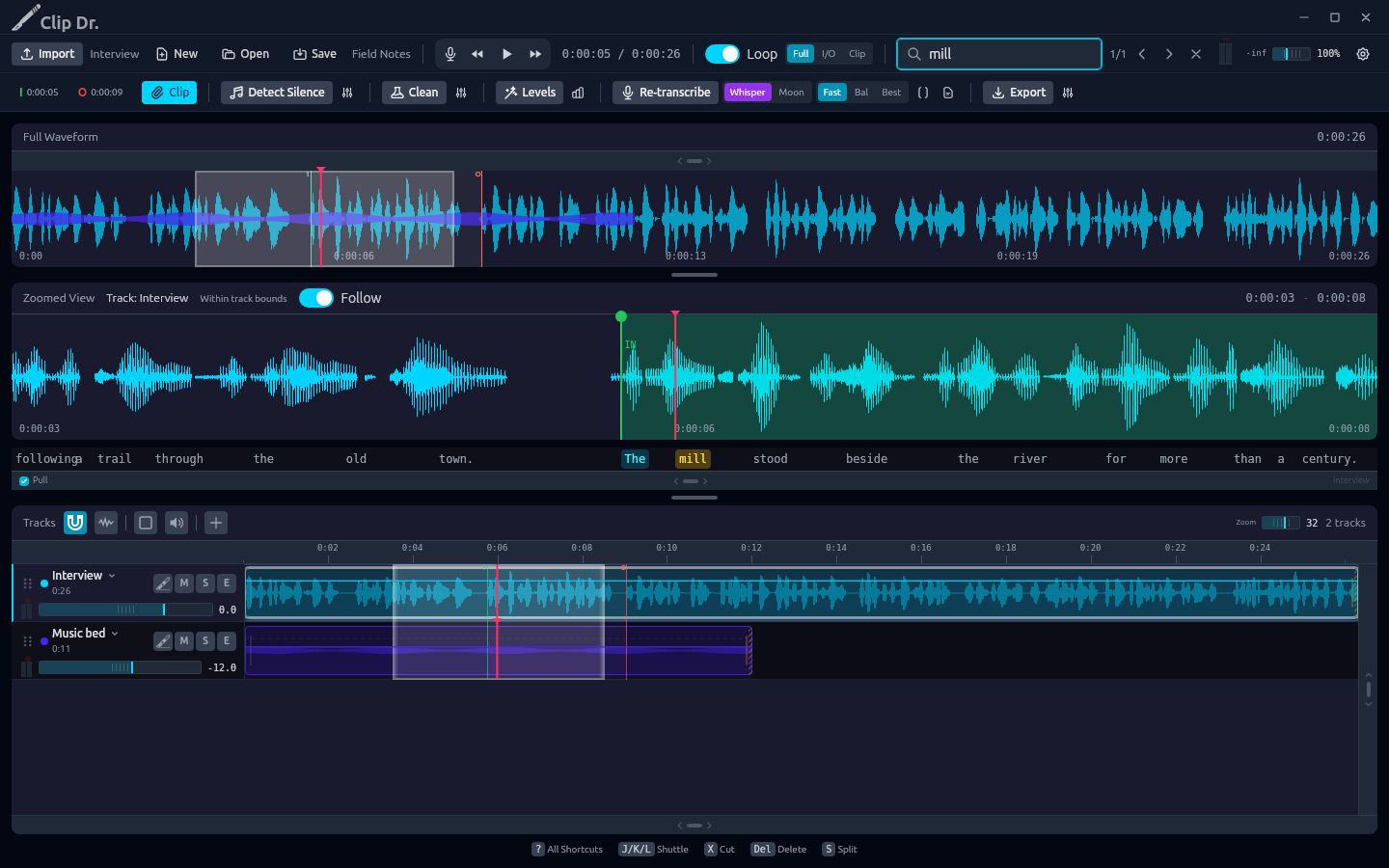
The overview shows where you are; the zoomed waveform gives you room to set a precise In and Out. Arrange clips across tracks, mute or solo a track, and loop the passage you are working on.
Bring in another recording without losing your place. Build the useful excerpt from the parts you actually want.
Surgery
A workbench for the troublesome bit.
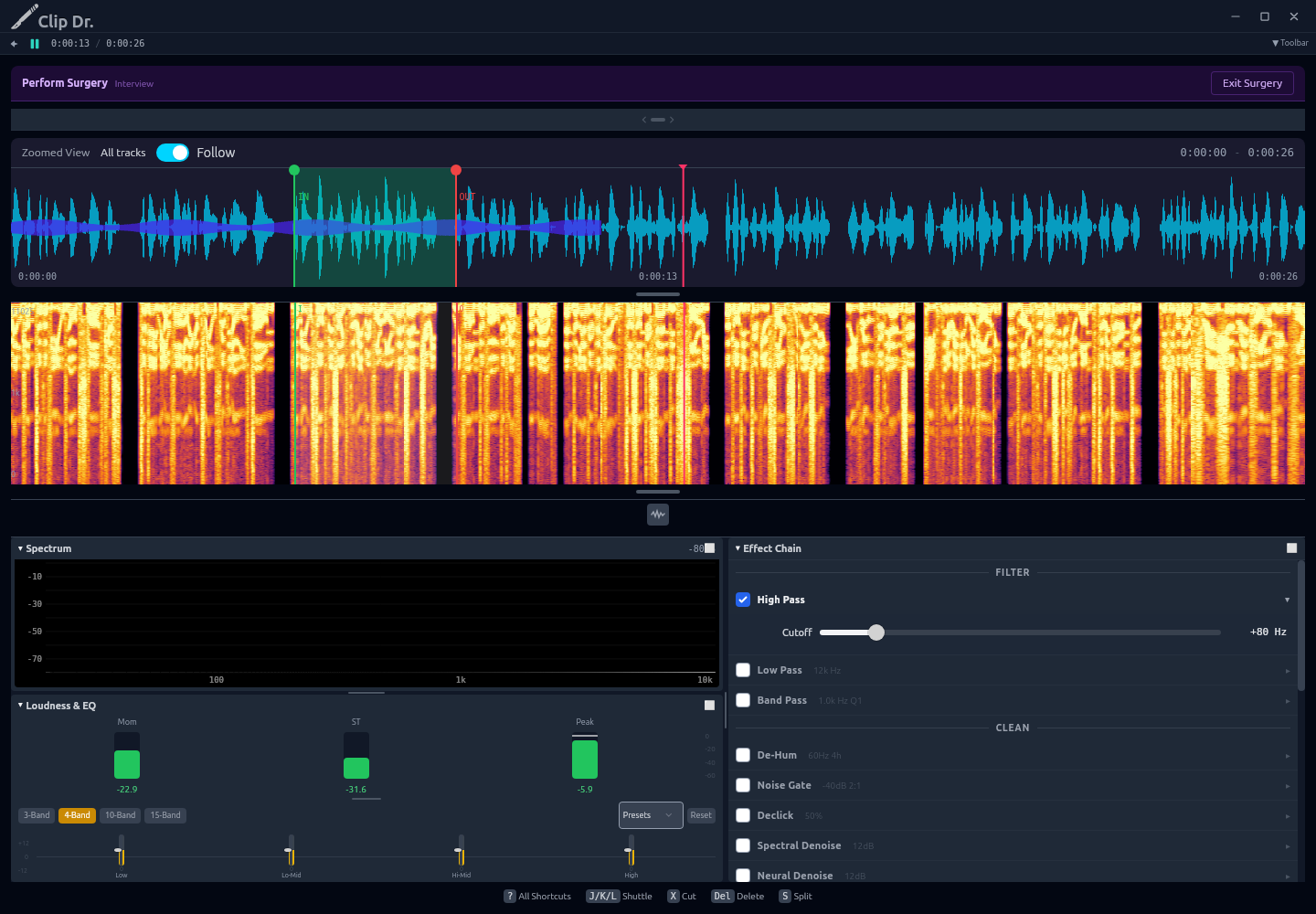
Open a track in Surgery and work on a region or the whole track. Shape the sound with filters and EQ, reduce hum and background noise, or adjust loudness. Loop the selection while you listen to the change.
A spectrogram adds another view of the problem. Commit the treatment when it helps, and use undo when it doesn't.
A clip you can use
Finish in the format you need.
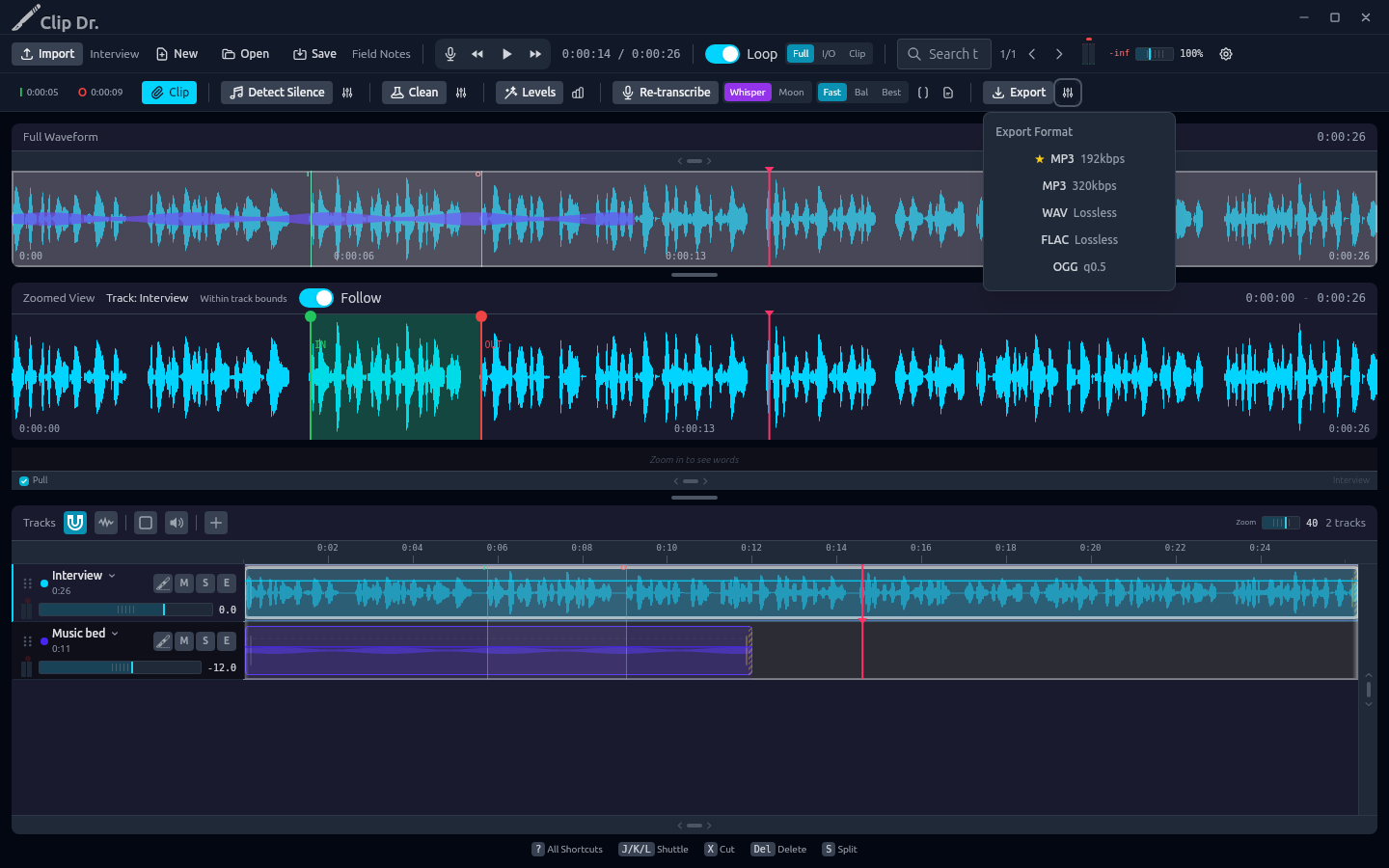
Export individual tracks or a mixed master as WAV, MP3, FLAC or OGG. The workflow stays focused on a finished recording: find the passage, make the edit, fix what needs attention and get the clip out.
Questions
Who is Clip Dr. for?
People working with recorded speech and useful excerpts: interviews, podcasts, voice notes, lessons and field recordings. Import the recording, find the passage, edit it and export a clip.
What makes Surgery different?
It gives one track its own repair workspace. Set a region, loop it, adjust an effect and listen before committing it. Waveform and spectral views help you see where a problem sits.
How does the transcript help?
Transcription runs locally on the CPU. Click a word to seek to it, search for a phrase, correct the text or adjust word timing. Recognition can make mistakes; listen and review before treating it as a record.
Can it record audio?
Yes. Record a microphone or supported system-audio input into the project. Input and system-audio availability depend on the operating system and its permissions.
Which formats can I export?
WAV, MP3, FLAC and OGG. Export selected tracks or a mixed master, with format settings for the result you need.
Is there a phone version?
This page is for the desktop editor. Clip Dr. Mobile is a separate project and is not included in this launch.
Does my audio get uploaded for transcription?
No. The editor processes audio on your computer. Local speech models need to be installed, but transcription does not require uploading a recording to a service.
When can I buy it?
Clip Dr. is next in the catalog after LedgerKeep. Launch pricing will be published here before sales open. Supported downloads and trial terms will be listed here at launch.