
Focused
Hold one person, one place, or one need in prayer. Slow down enough to give it your attention.
Breach · Kingdom Tools · Always free
Make prayer your first response.
Real people. Real needs. Decisions, struggles, and places that need prayer. Bring them before God with focused, deliberate, consistent prayer. Prayer belongs at the beginning, not only when you have run out of options.
The gates of hell will not prevail.
Matthew 16:18
Free forever · Android available now · iPhone coming soon.
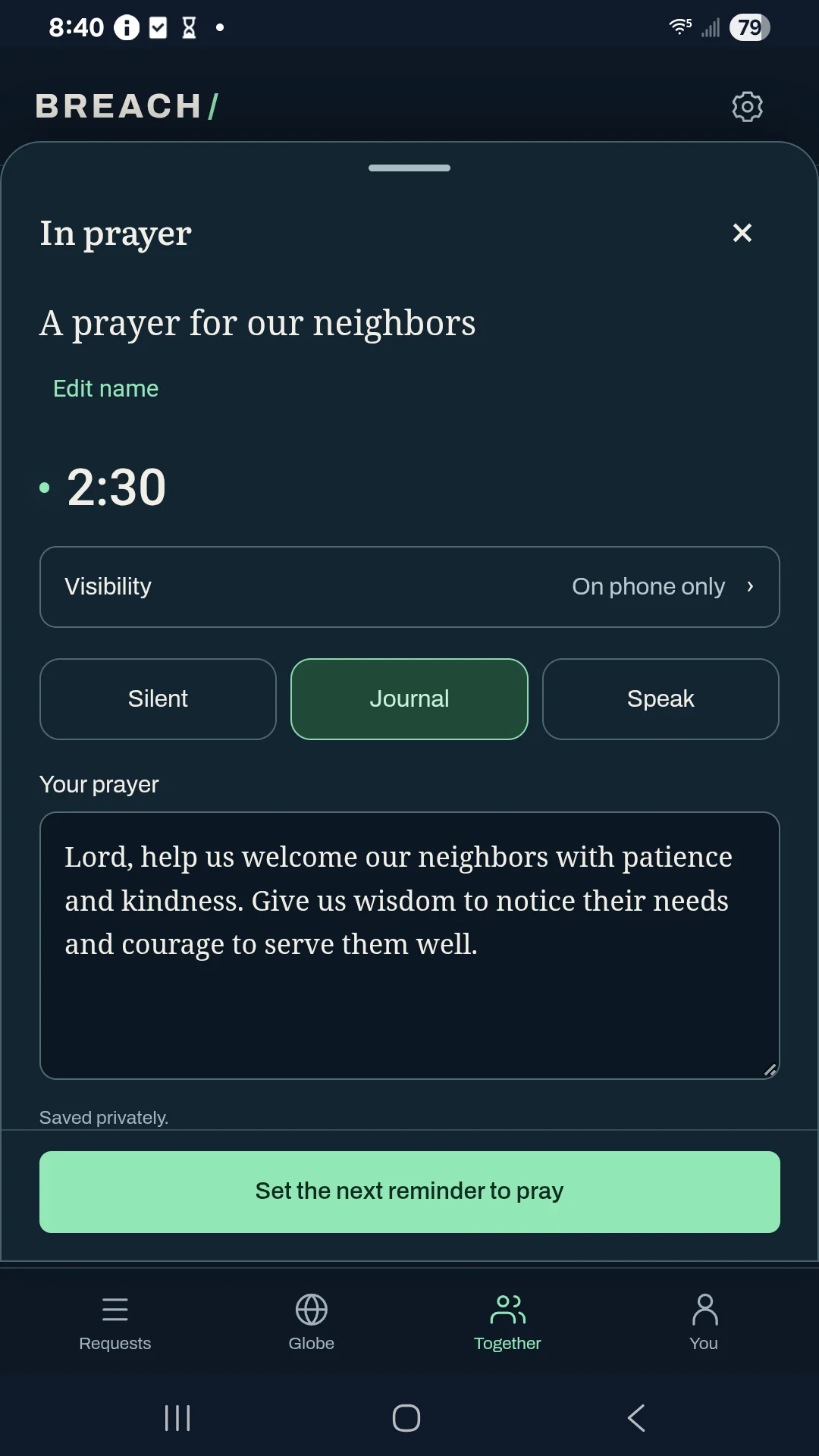
Galaxy A14 · Captured in Android 0.26.5
Current download: Android 0.27.8.
Make room for prayer
Bring a real need before God. Give it your attention. Keep returning in faith.
Hold one person, one place, or one need in prayer. Slow down enough to give it your attention.
Choose to pray. Set aside a moment, invite someone to join you, and bring the need before God with intention.
Return to the people and needs you carry. Make prayer part of ordinary days, and give thanks as you see God at work.
Start where you are
A spiritual struggle, a decision, a person, or a need. Share how others can pray, with a place or group when it helps.
Tap Pray and begin. Be silent, journal your prayer, or speak and edit an on-device transcript. A short Scripture passage can help you settle into prayer.
Name what you are thankful for. Share answered prayer and good news as their own stories, with a distinct blue mark on the globe.
Gather in Jesus’ name
“For where two or three gather together in My name, there am I with them.”
Matthew 18:20 · Berean Standard Bible (BSB)
You do not need a crowd to begin. Gather with a friend, a prayer partner, or a small group. Bring a shared need before God and keep praying for one another.
Invite a friend through a link or QR. Choose email contacts on your phone when you want help sending an invitation. Keep prayer partners and public or invite-only groups together. Pray for someone, let them know, and choose separately whether to share your words.
Android is available now. iPhone is coming soon and is not available to install yet.
A host leads a small audio circle. Join listening, ask to pray next, and turn on your microphone when invited. You are welcome to listen and pray silently throughout.
Set a reminder once, on selected days, or throughout a chosen daytime window. Your prayer history stays on your phone. There is no streak to keep.
Move between Activity and the globe. Follow a region, explore church and missions resources, explore unreached people and Bible translation resources, or look back through the past day of observations saved on your phone.
Inside Breach
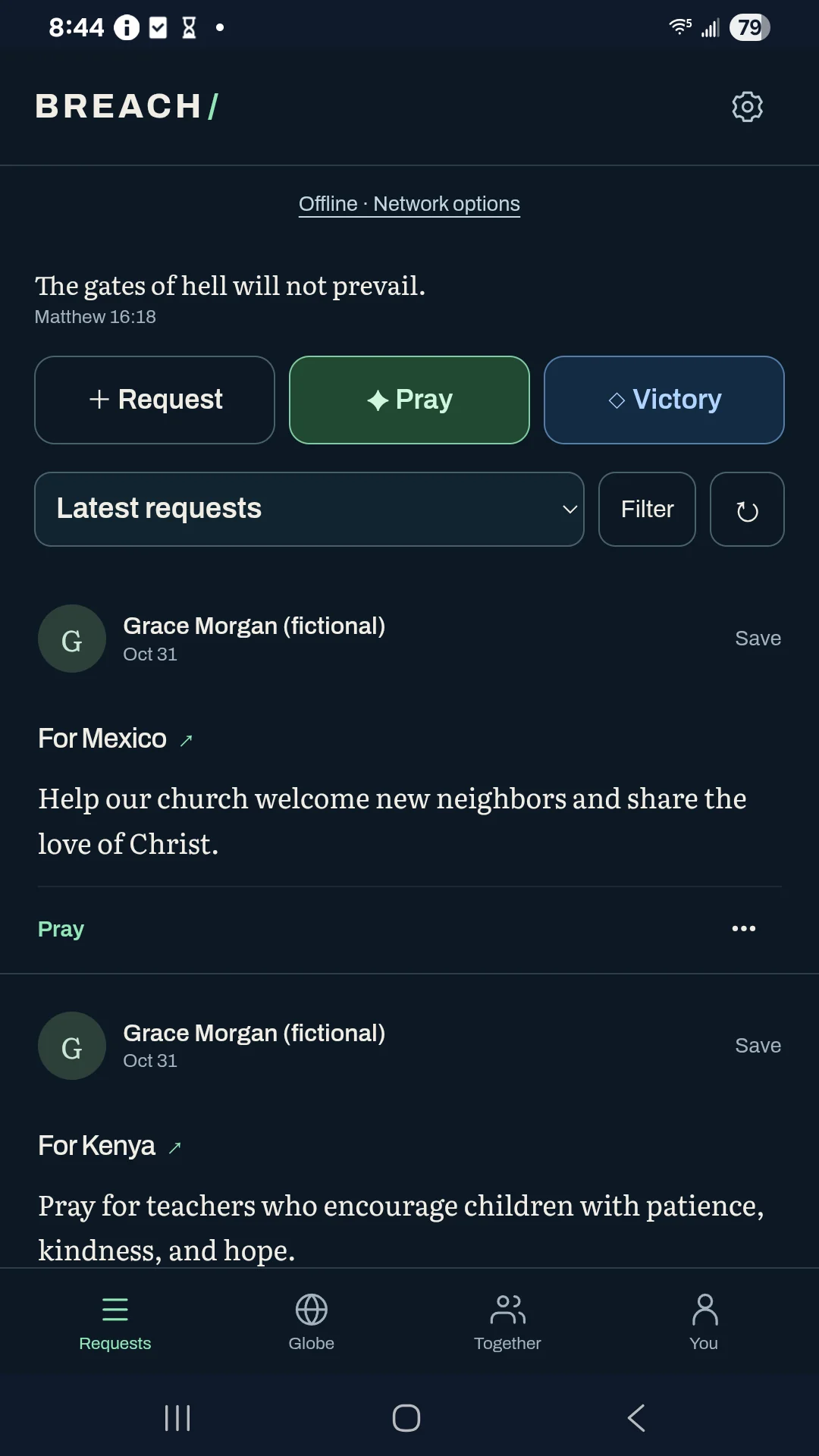
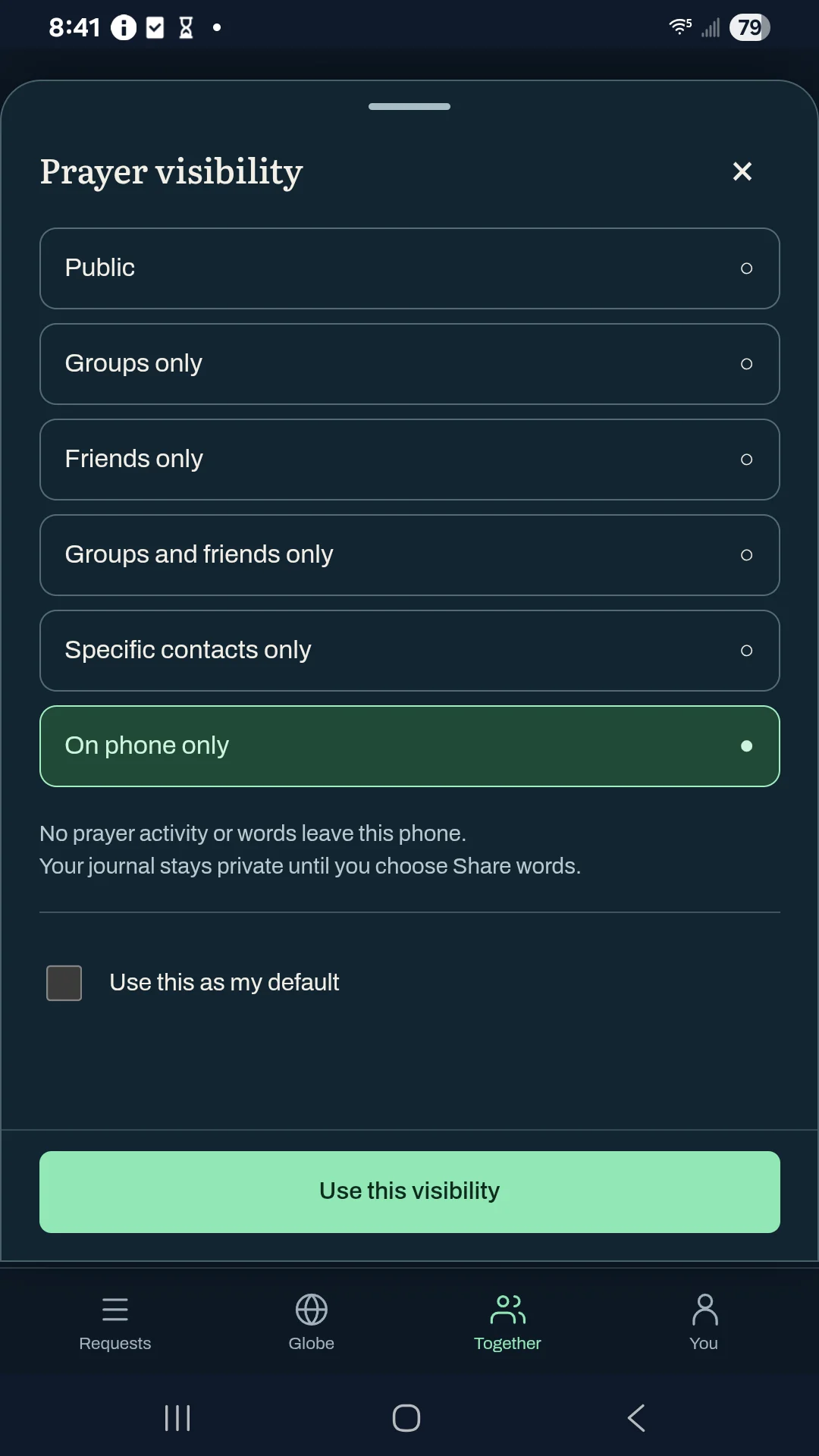
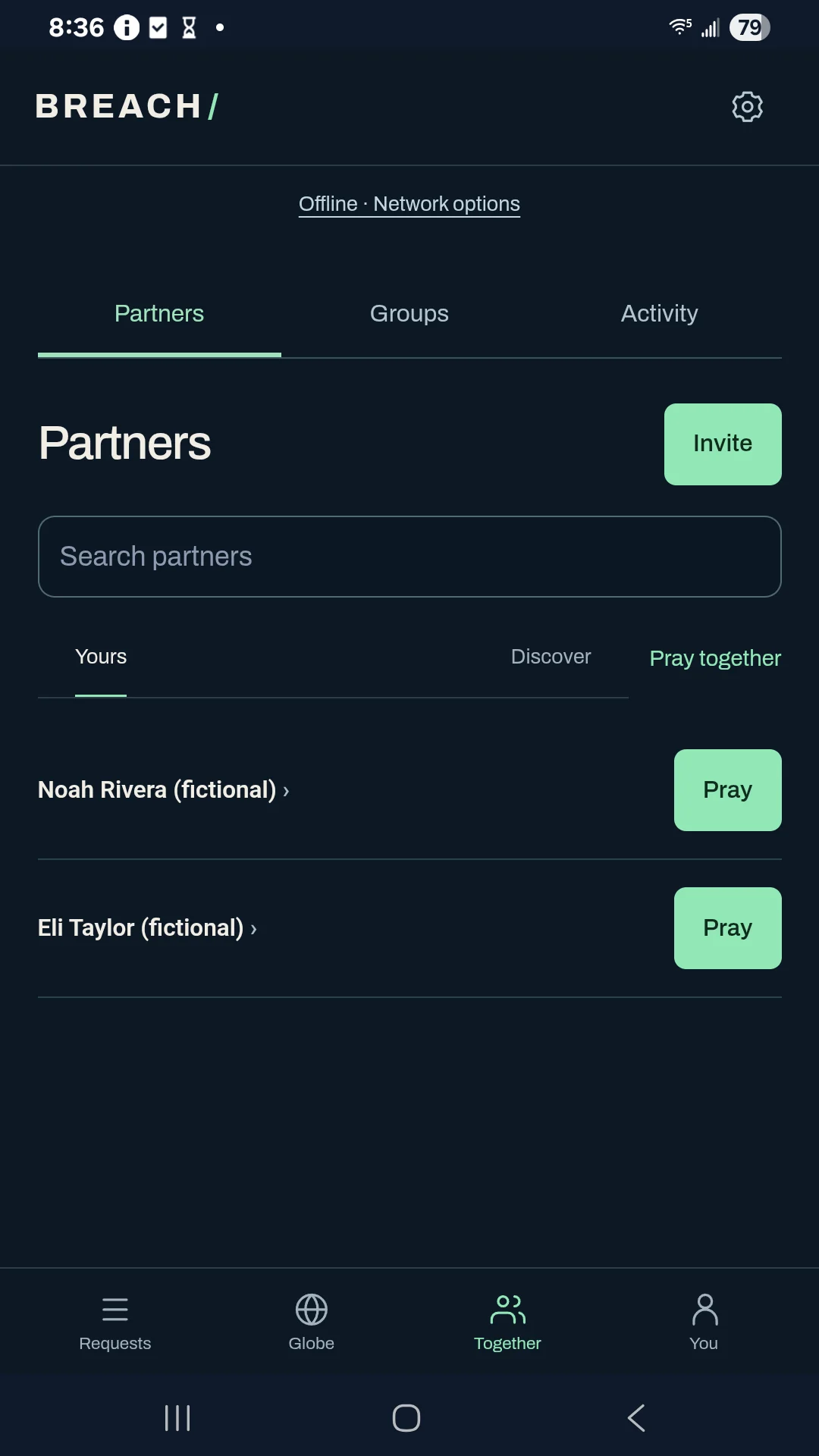
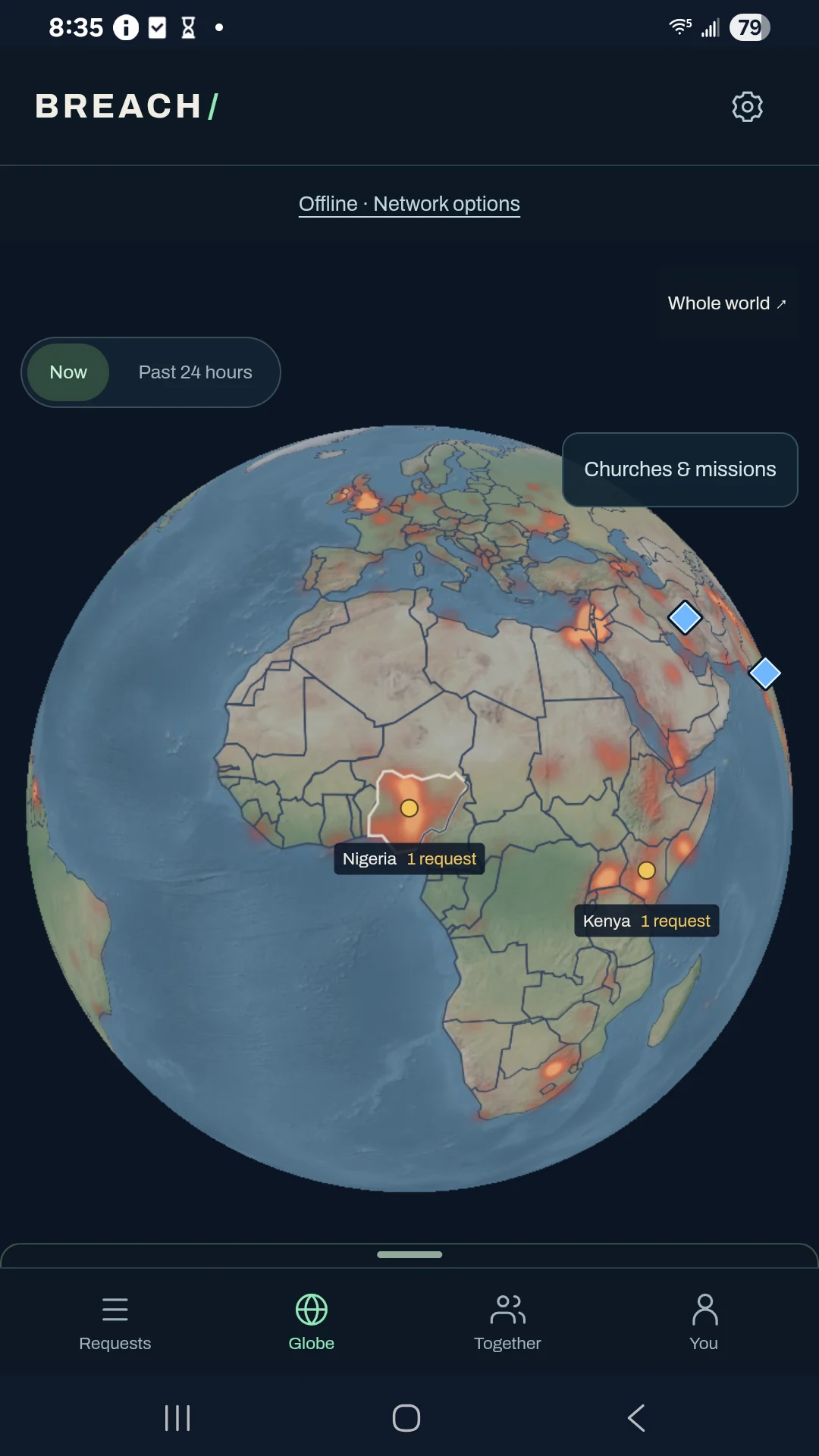
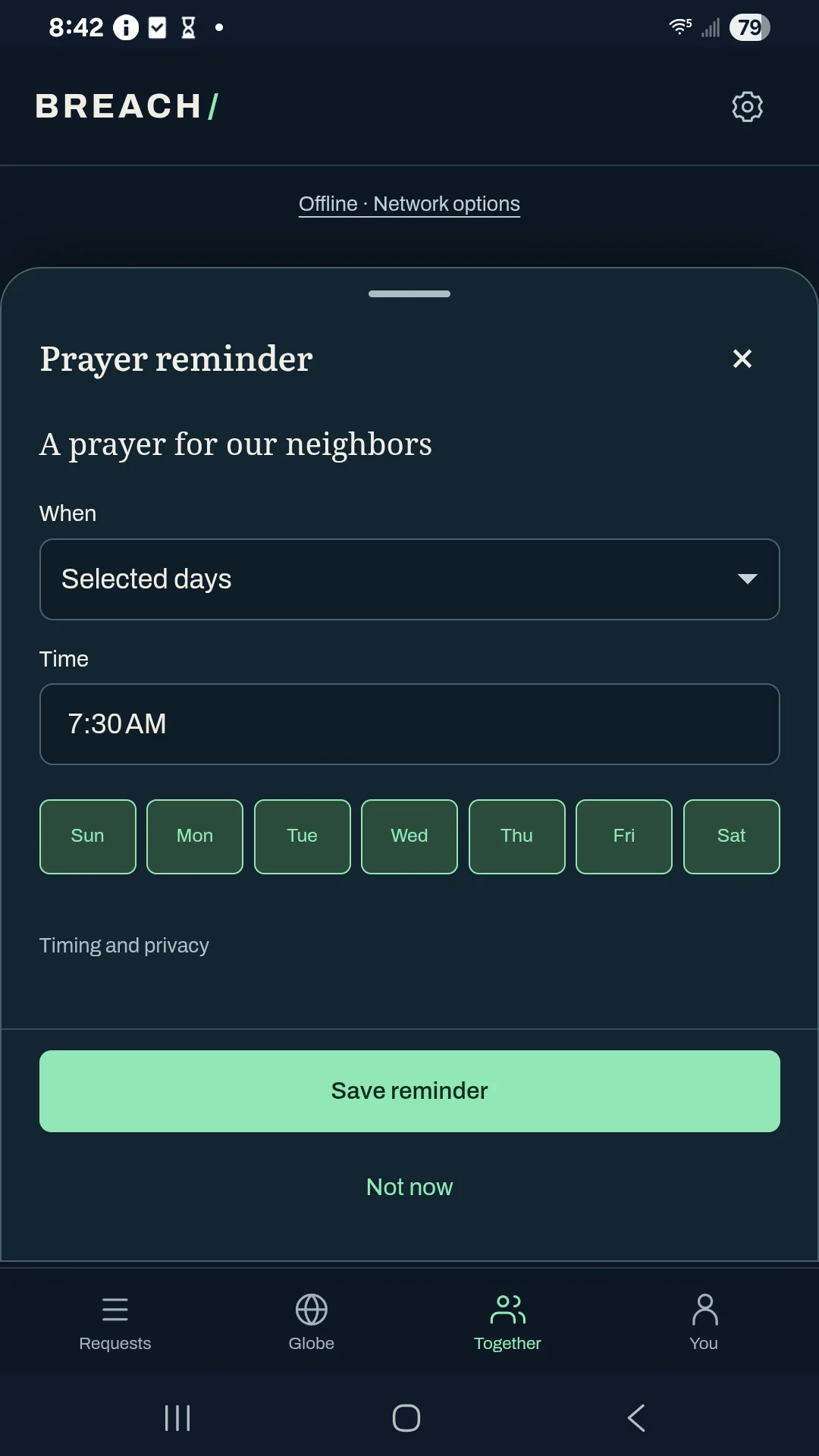
Actual Galaxy A14 screenshots from Android 0.26.5, captured offline with fictional examples. The current Android download is 0.27.8. Watch the 0.22 walkthroughs →
Tools that make room for prayer
A place to gather, remember, and return—whether you pray silently, write, or speak.
Open You → Lists to gather family, morning prayers, or other needs. Pray through the checklist, keep private words for each prayer, and set a reminder to return. Each prayer keeps its own sharing audience.
See how it works →Return to Partners → Invitations to check status, cancel a pending email when possible, or recall a link. An accepted email cannot be recalled, and disabling a link keeps existing partners connected.
See how it works →Start with Paper and Atkinson Hyperlegible, or choose another appearance in Settings. Optional profile setup helps you add a name, verify an email, choose a usual prayer region, and save an encrypted identity backup at your own pace.
See how it works →Join a small audio circle, ask to pray next, and speak when the host gives you the floor. Listening and praying silently are always welcome.
See how it works →Choose prayer presence separately from prayer content. Keep your words on your phone, share with friends or a group, or make them public. Words shared with selected friends or private groups are encrypted; public posts are public.
See how it works →Find recent requests, prayer activity, headlines, and victories in a rolling 24-hour globe view. Replay available news and prayer activity in 15-minute steps, with gaps kept visible. Older items leaving the globe do not erase your saved prayer history.
See how it works →Tap Pray and the timer begins. A dismissible Scripture passage helps you settle in. Journal privately or speak into an on-device transcript you can edit; changing how you pray keeps the same prayer going.
See how it works →Signed messages move through independent relays and can pass between nearby phones when connections allow. Export your encrypted Nostr identity to take it to another device. No central company prayer server is required.
See how it works →Breach is free forever. Set a reminder once, on chosen days, or throughout the day. Come back to your prayer history without a score or a streak to maintain.
See how it works →Requests appear by time, without a popularity contest. Partner suggestions follow the people, places, and groups you choose. There are no prayer streaks, and no pressure to publish a private prayer.
Public posts travel through independent relays. Selected friends and private groups receive encrypted copies. Your phone can pass signed messages along when connections allow, so Breach does not depend on a central company prayer server.
Church-related headlines appear by default. Broader headlines can help explain conditions in a region, but news is not a reason to frighten people into prayer. People are not the enemy: Ephesians 6:12 directs our attention to spiritual struggle.
Keeping prayer activity or words on your phone does not turn off other app network traffic. A fresh or unnamed identity does not hide relay connections. Recipients can retain shared copies, and deletion cannot recall every copy. Joining an audio room separately reveals participation to that room; people can hear an enabled microphone regardless of a prayer audience.
Audio rooms need Breach open. Direct connections depend on the networks involved; an independent TURN relay can be configured when needed. Phones catch up when connections allow. Android 0.27.8 offers optional generic closed-app alerts when both people opt in. Local reminders are scheduled separately by your phone; notification permission, connection, and phone settings can delay alerts.
With network access allowed, Breach downloads public news from nk.tools and can contact source websites for missing headline titles. Shared prayer activity continues through Nostr connections. Read the news and source privacy details.
Contact access is optional. Breach does not upload your address book. In versions with Email, sending an invitation sends only the chosen invitation details to nk.tools. An email address does not reveal whether its owner installed Breach. Optional email verification offers nk.tools or another upgraded Breach phone using its own email app. Verification alone adds no friend or shares prayer history; accepting the matching invitation is separate. Read the email verification questions.
The optional nk.tools relay caches events for at most 24 hours from receipt, or less after expiration, restart, or capacity limits. This does not delete saved phone data. Read the relay policy.
Android 0.27.8 includes six prayer-audience choices and optional generic Apple/Google alerts. The first connection and first shared post have separate choices; local prayer and journaling remain available offline. Read the privacy choices and data flows.
A little guidance
Start quietly, write as you pray, or speak an editable prayer.
Read the steps →Name a need for prayer, or give thanks for what God has done.
Read the steps →Bring someone you know into your prayer circle. Android is available now; iPhone is coming soon and is not available to install yet.
Read the steps →Keep a family, church, place, or shared purpose close.
Read the steps →Lead a small prayer circle, take turns speaking, or join to listen.
Read the steps →Choose a single time, a weekly rhythm, or reminders throughout the day.
Read the steps →Understand connection risks and choose what to share.
Read the steps →Move from a local need to regions, churches, and people around the world.
Read the steps →Make Breach comfortable, find support, and choose what to share for troubleshooting.
Read the steps →Download the free Android installer and begin with a request or a prayer.
Read the steps →Free forever
No trial, subscription, paid unlocks, or account required to begin. Optional contributions help support development.
Install the direct APK on an Android phone. To update an existing direct installation, use Android’s update prompt without uninstalling Breach.
Checking available installers…
Android 0.22 users can update with this download. The current direct edition also offers Check for updates in Settings. Choose Install update, confirm in Android, and reopen Breach if Android returns to the previous app.
The iPhone app is not available to install yet. It is being prepared for the App Store.
The download link will appear here after Apple’s review and release.
Smart Tools. Sharp Solutions.
Really believe in this project's potential and want to contribute to its development? Support its development.