
Current Android 0.27.8 · iPhone coming soon
Begin a prayer
Start quietly, write as you pray, or speak an editable prayer.
The walkthroughs were recorded in Android 0.22. Original written steps retain their version notes, and current-version guidance appears first where controls have changed. Still images remain labeled with their actual Android 0.26.5 capture version.
Current Android 0.27.8 steps
Gather prayers into a list.
Open You → Lists → New list. Give it a name, choose saved prayers, or use Add a prayer → Add to list. Choose Save list. A list can hold up to 50 prayers; each keeps its own visibility.
Pray through your checklist.
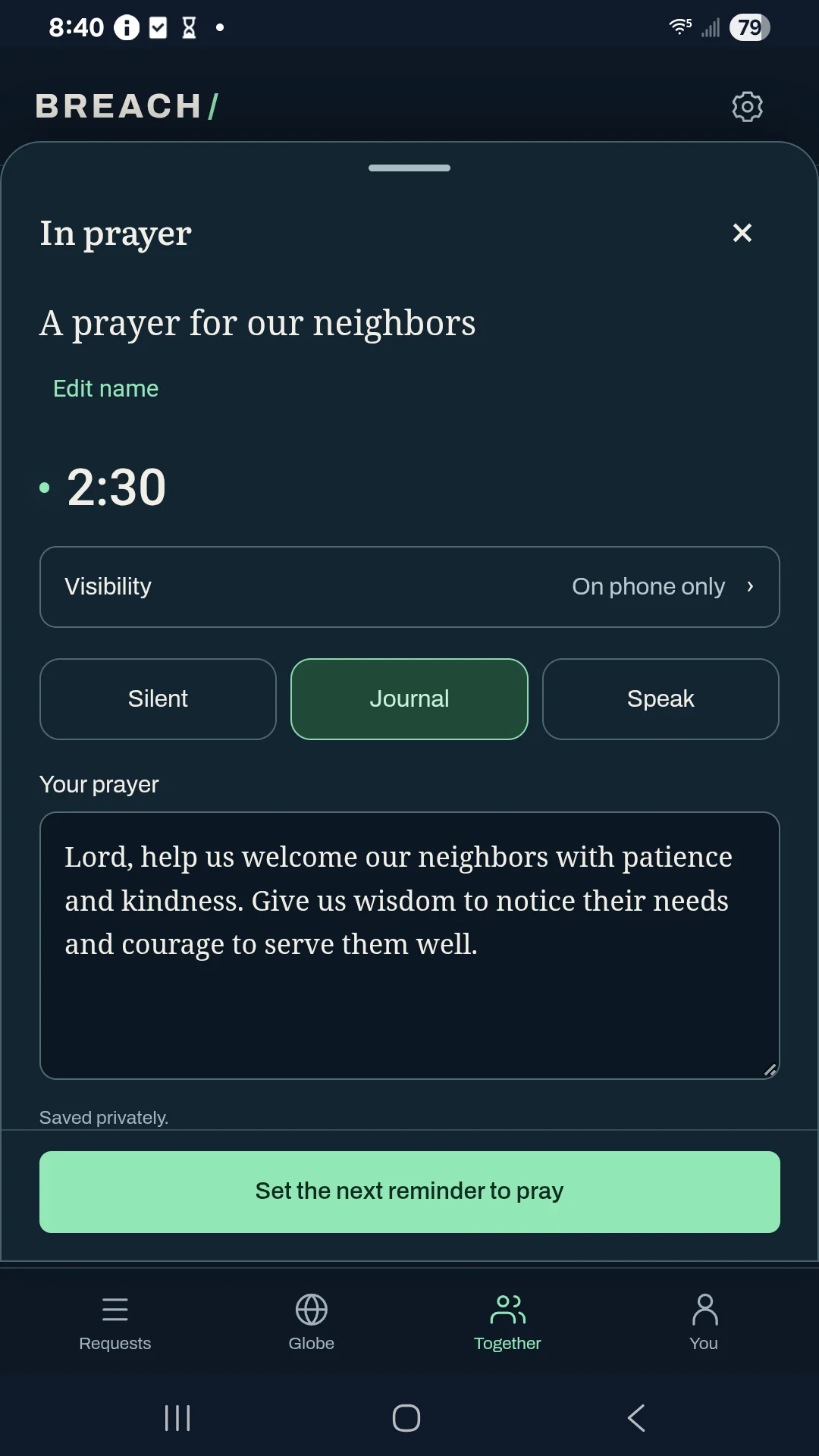
Choose Pray this list. Select a prayer to write or speak privately, and check the prayers you have prayed. Each prayer has its own words and audience. Set the next reminder to pray finishes the session and opens the reminder choices; review any save or delivery error.
Share words only when you choose.
Words written during a list stay private. After the list session is saved, open You → History to review a prayer and explicitly share its words. Selecting a shared audience for prayer activity does not publish the journal.
Return to the list later.
Use Add reminder on its card, or Return to prayer for the current list. Deleting a saved list removes that list and its reminder, while keeping the individual prayers and earlier history. Discard this session instead clears the current checklist, time, and this session’s journal words; it keeps the saved list and earlier history.
A list does not have one combined sharing audience. Review Prayers & visibility for each item. A saved choice for that prayer takes precedence over your general default; new items use the general default.
Prayer lists and private journals are phone data. The encrypted identity backup is not a full backup of this phone.
Captured in Android 0.26.5
Actual Galaxy A14 screenshot with fictional examples, captured offline. The current download is Android 0.27.8; the walkthrough below was recorded in 0.22.0.
0:41 · Recorded in the Android app
Follow along at your own pace.
Recorded on a Galaxy A14 in Breach 0.22.0. The example people, groups, and prayers are fictional. This silent walkthrough includes English instructions.
Download video (0.5 MB) · Download captions
Read the video instructions
- Tap Pray to begin. Example people and prayers are fictional.
- A Bible verse appears while the prayer timer is already running.
- Quiet prayer needs no typing or microphone.
- Give your prayer a name if you would like to return to it.
- Journal is another way to pray. Your words stay private.
- You choose whether anyone else can read these words.
- Speak offers editable on-device transcription. It starts only when you choose.
- Set a next reminder when you want to return to this prayer.
- Or choose Not now. No reminder is required.
Earlier guide steps and version notes
Open Requests.
Requests is the home screen. Choose Pray to begin your own prayer, or Pray now beside a request. The timer starts immediately.
Let the verse settle.
A Berean Standard Bible passage appears when prayer starts. Dismiss it when ready; the timer is already running. Turn this popup off under Settings → Prayer → Show a verse about prayer if you prefer.
Choose a way to pray.
Quiet prayer needs no typing or microphone. Journal opens your private words. Speak offers Start voice transcription; give microphone permission only when you want to transcribe.
Keep your words your own.
Stop transcription to add the words. Edit before, during, or after transcription. Changing prayer modes does not start another prayer.
Make room to return.
Use Set the next reminder to pray to choose when to return, or choose Not now without setting a reminder. Close or collapse the shelf when you want to browse. Your saved prayer words are in Your prayers → History.